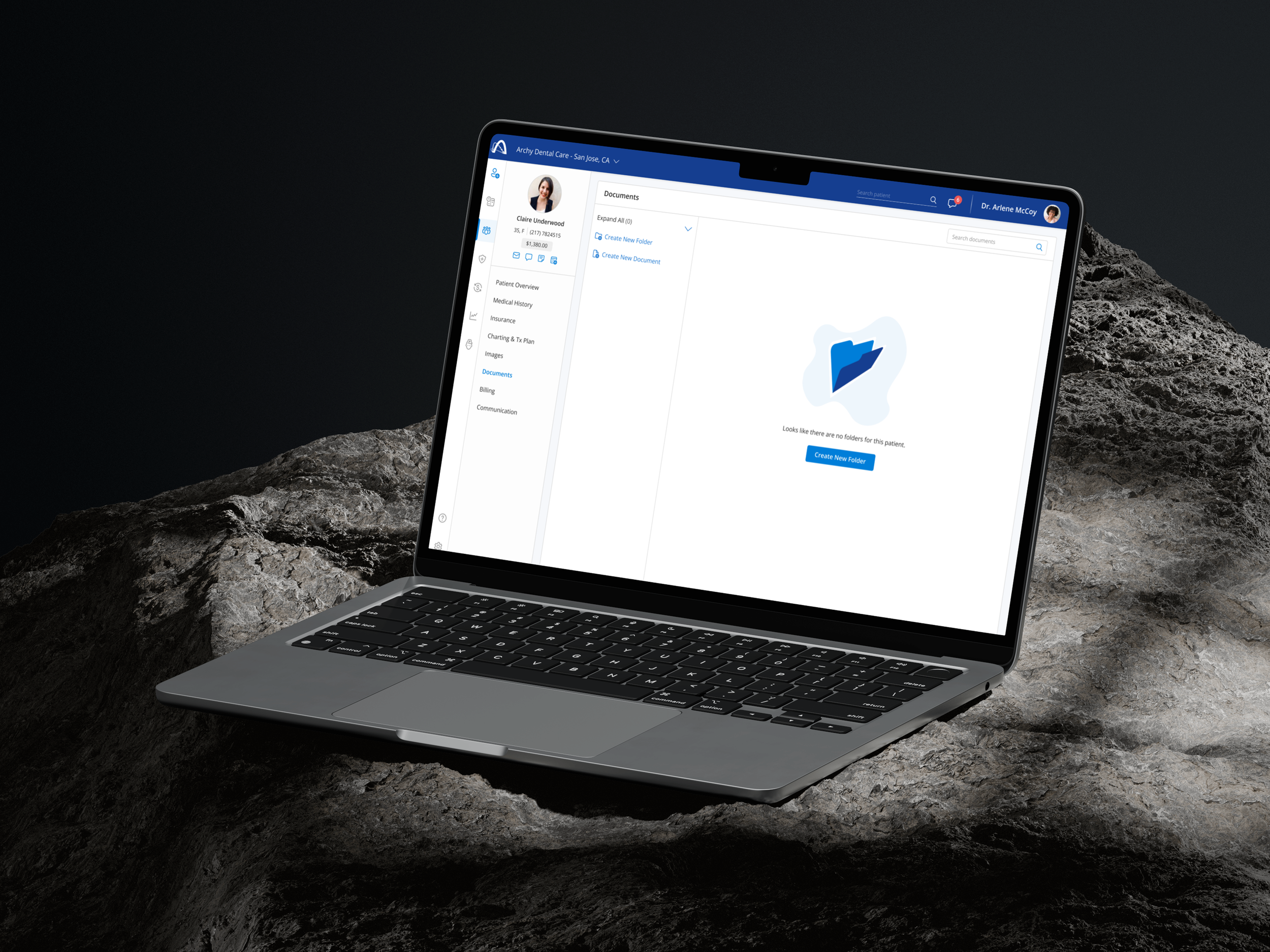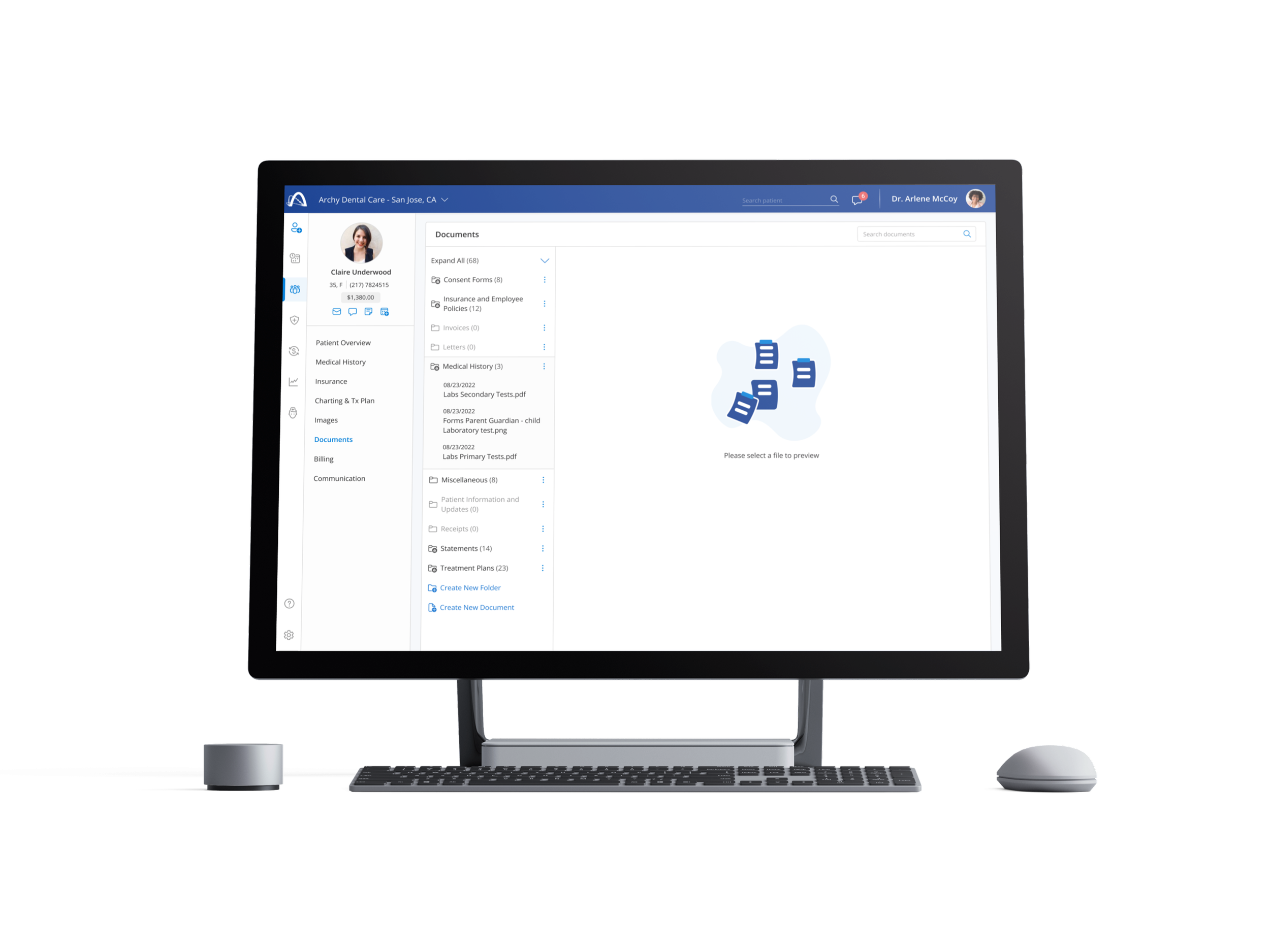
Patient Document Flow
Patient Document Flow is a healthcare-focused design challenge centered on creating a clear, scalable document management experience for dental practices and their patients. The project explores how clinical teams create, organize, search, and manage patient-specific documents within a regulated environment, with an emphasis on clarity, trust, and ease of use.
Patient Document Flow
Document Creation & Organization
Enable clinical teams to create patient-specific documents and organize them within a clear folder hierarchy, supporting scalable document management as patient records grow over time.
Folder Management & Structure
Allow users to create folders, define naming conventions, and control visibility, ensuring documents remain organized and easy to navigate across different patient profiles.
Privacy & Access Control
Support clear public and private document states, helping clinical teams understand who can access sensitive patient information within a regulated healthcare environment.
Document Preview & Actions
Provide a focused document preview experience that surfaces essential actions such as downloading, printing, editing, or removing documents without overwhelming the user.
Search & Retrieval
Enable fast, intuitive search across documents and folders to help users quickly locate patient records, even within large or complex document sets.
Navigation & Scalability Controls
Support efficient navigation through expandable and collapsible folder structures, including system-level controls to manage large volumes of documents with ease.
Document Movement & Confirmation
Allow documents to be moved between folders through simple interactions, paired with confirmation states to prevent accidental changes to patient records.
Empty States & First-Time Experience
Design clear, supportive empty states that guide users when no documents or folders are present, helping first-time users understand how to get started.
Primary Document Actions
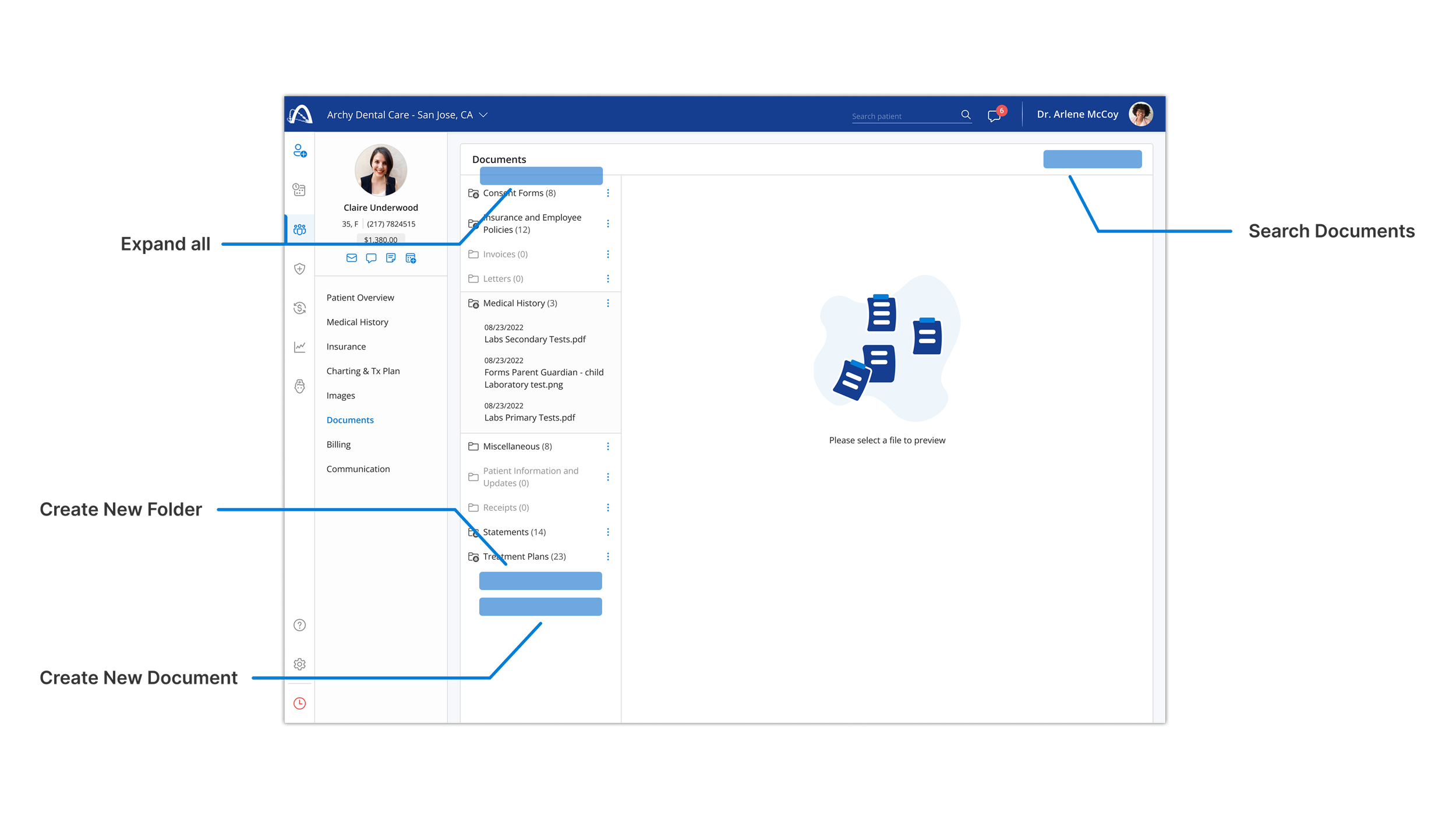
This view calls out the core interactions that support document creation, organization, and retrieval. These controls form the foundation of the patient document experience, enabling efficient management of patient records as document sets grow.
Document Creation Entry Point
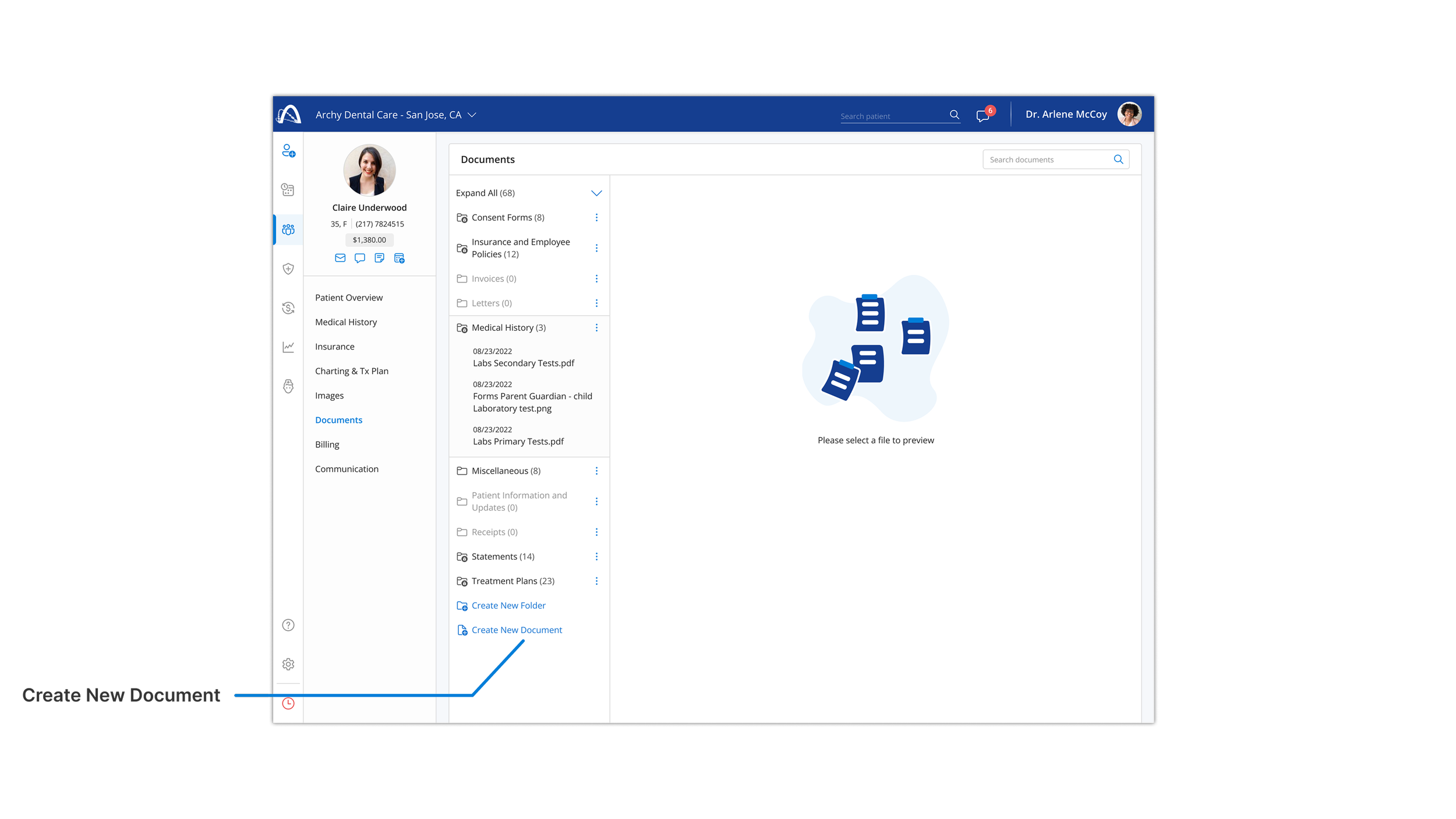
This view introduces a clear entry point for creating new patient documents directly within the document workspace. The interaction is designed to minimize friction while maintaining organizational context, allowing clinical teams to add records efficiently as patient files evolve.
Document Setup and Privacy Controls
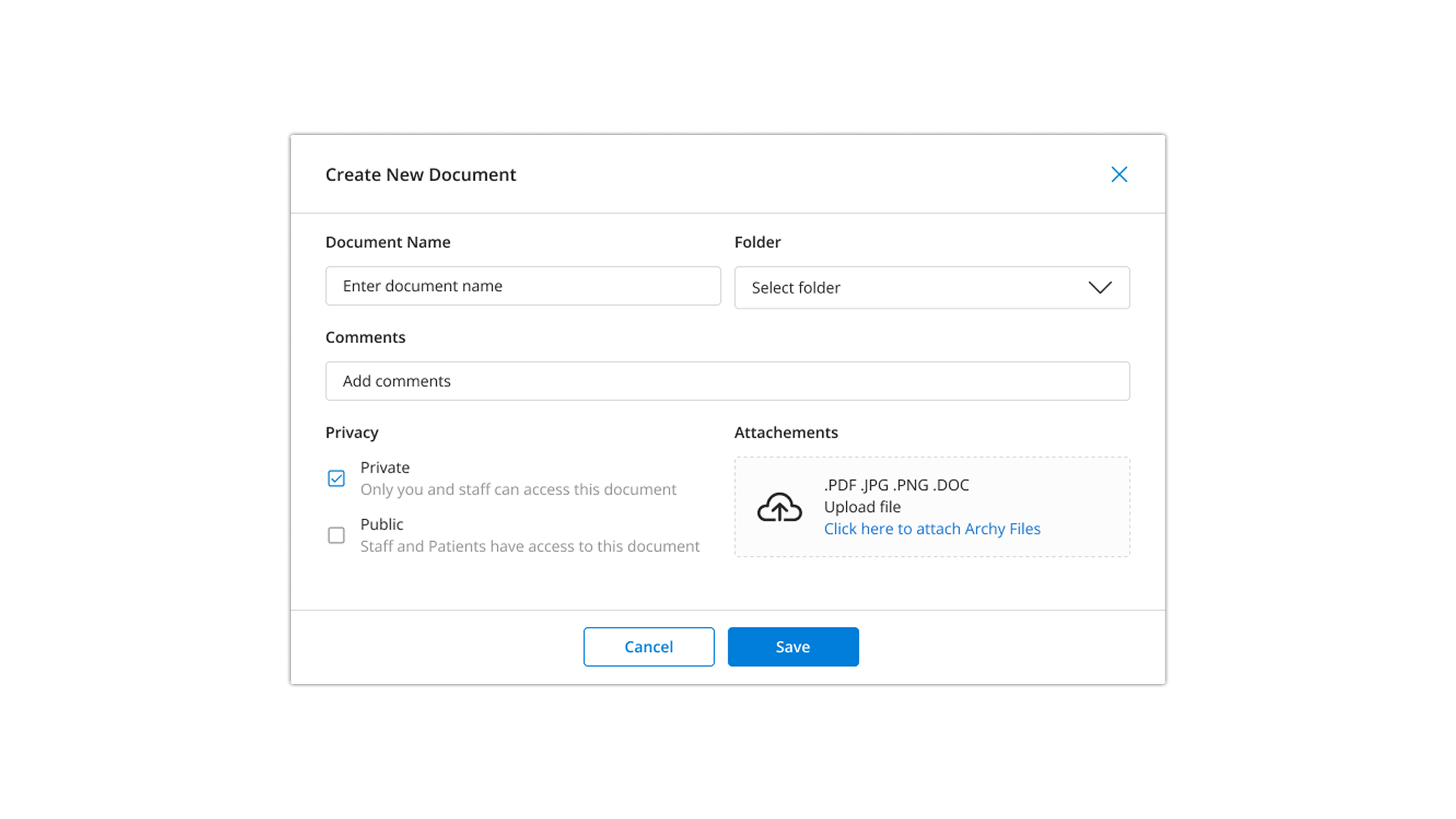
This step focuses on defining key document details and access permissions at creation time. Centralizing these decisions helps ensure documents are organized correctly and shared appropriately within a regulated healthcare environment.
Folder Creation and Information Structure
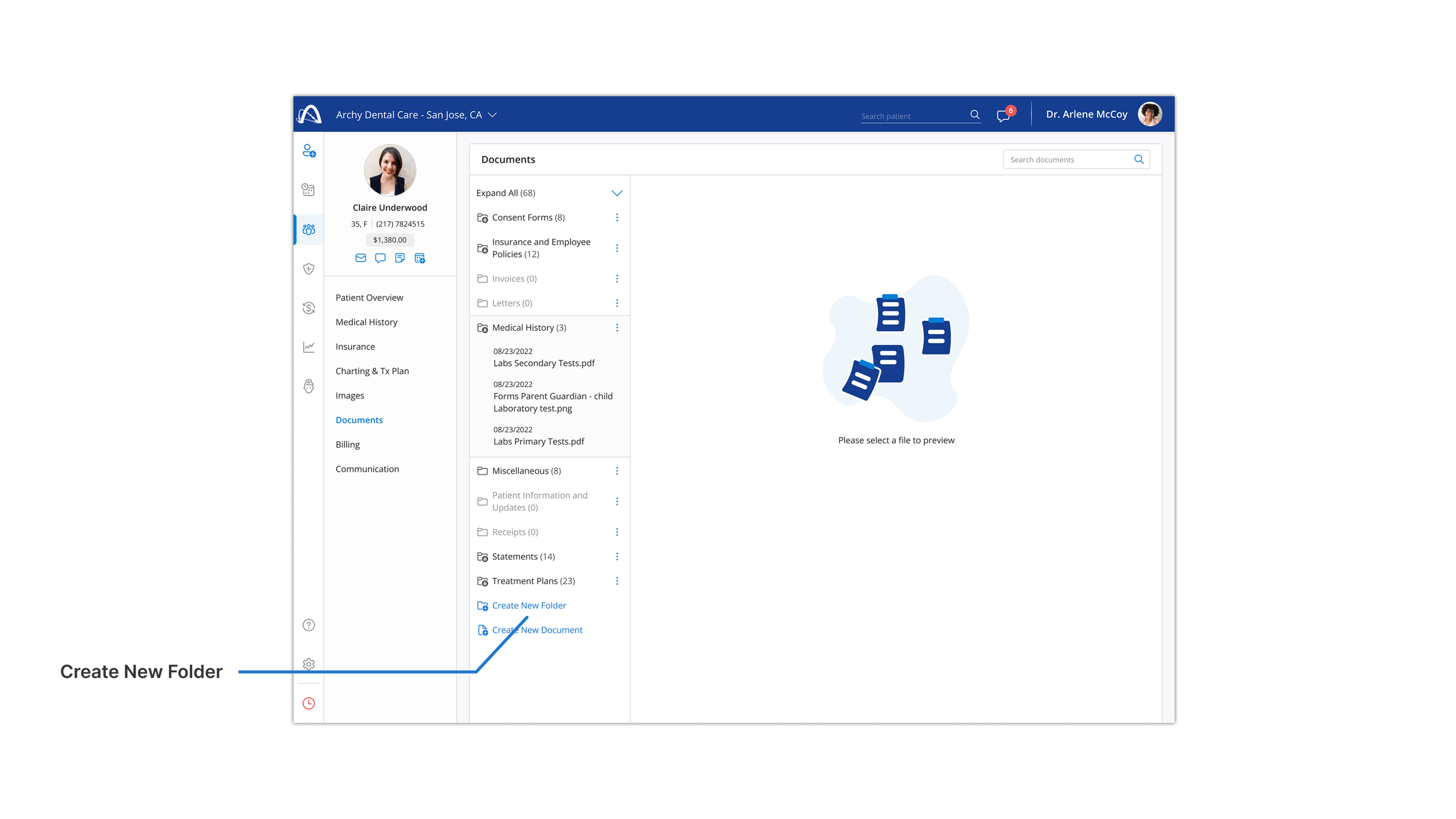
This view supports the creation of folder structures that help organize patient documents as records scale. Providing folder management directly within the document workspace reinforces clarity and reduces cognitive load over time.
Folder Definition and Access Control
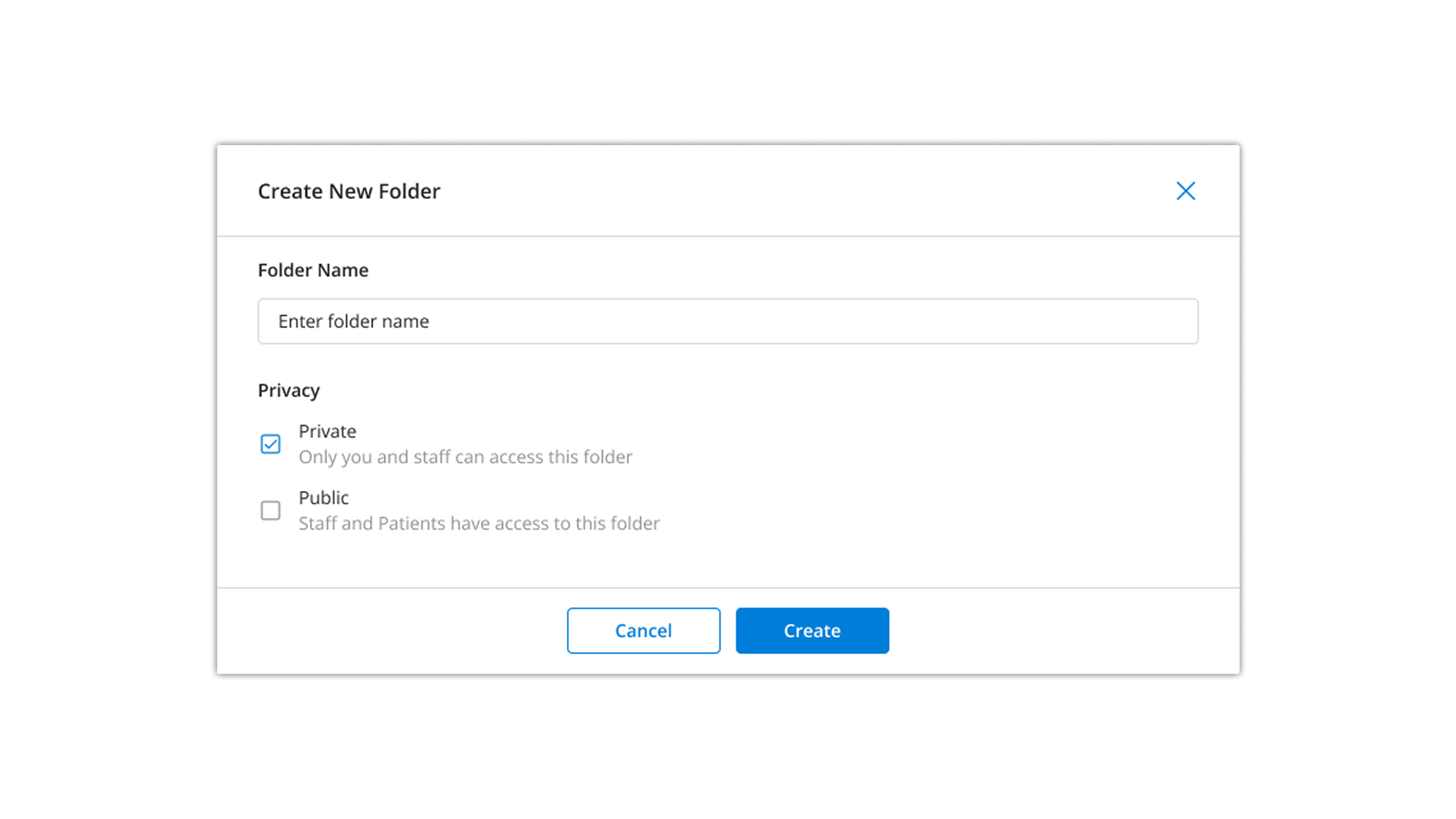
This step focuses on defining folder structure and access permissions upfront, helping clinical teams organize patient documents securely and consistently as records grow.
Patient Document Detail View
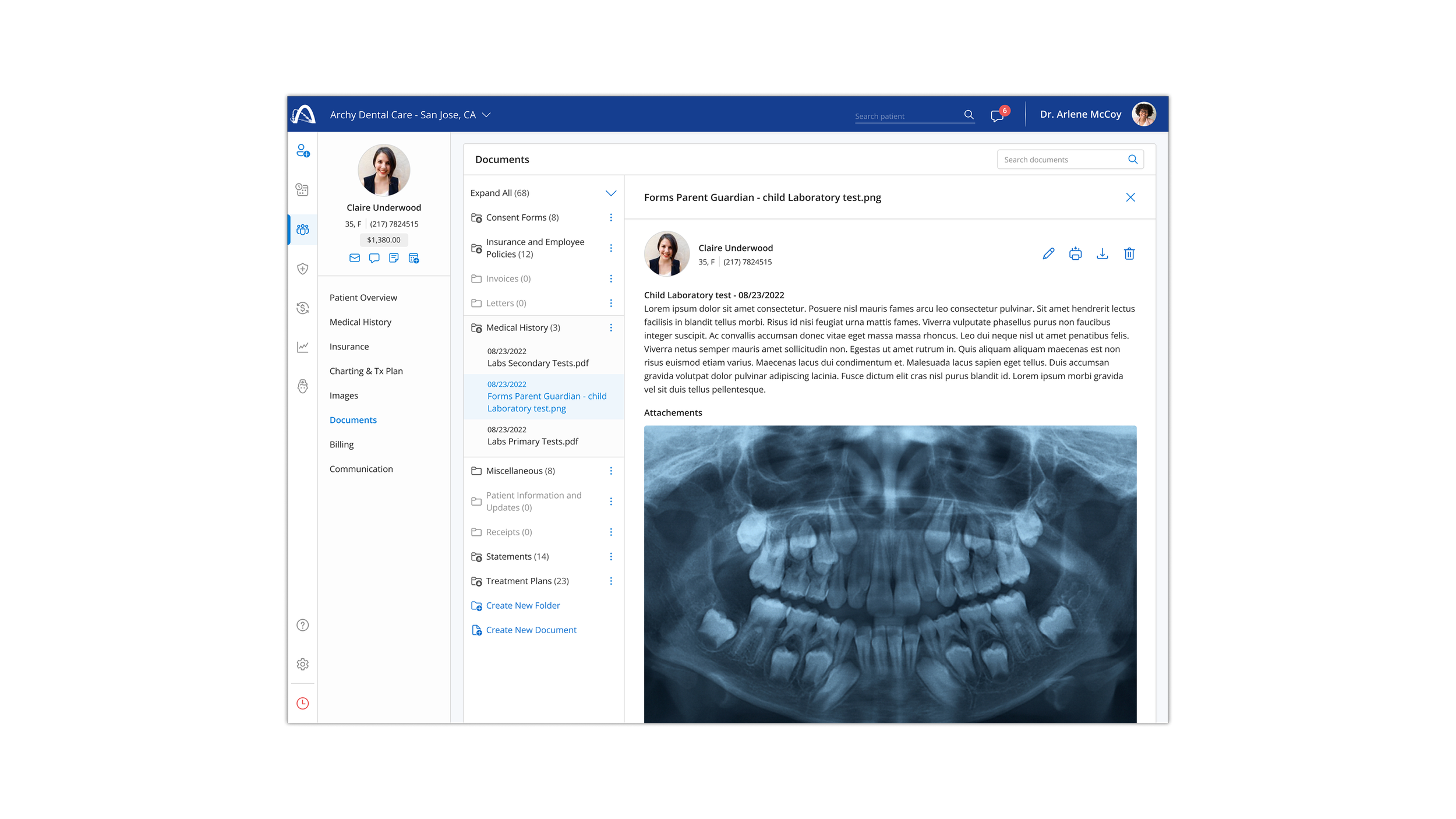
This screen provides a focused context for reviewing individual patient documents, prioritizing clarity and readability when working with sensitive clinical information.
Patient Document Details and Actions
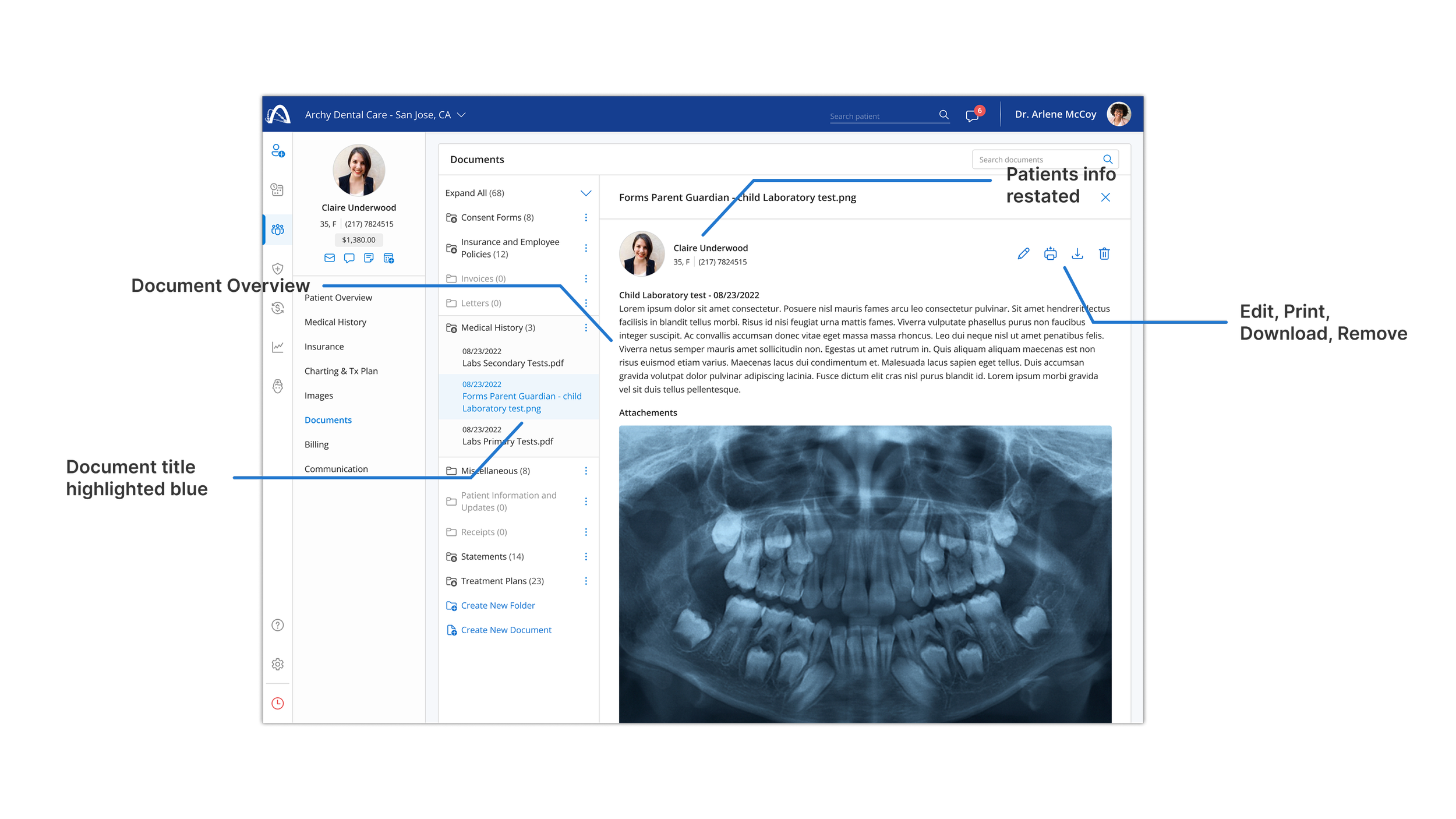
This screen highlights key document details and primary actions, allowing clinical teams to quickly review context and take action without losing their place within the document list.
Managing Large Document Sets
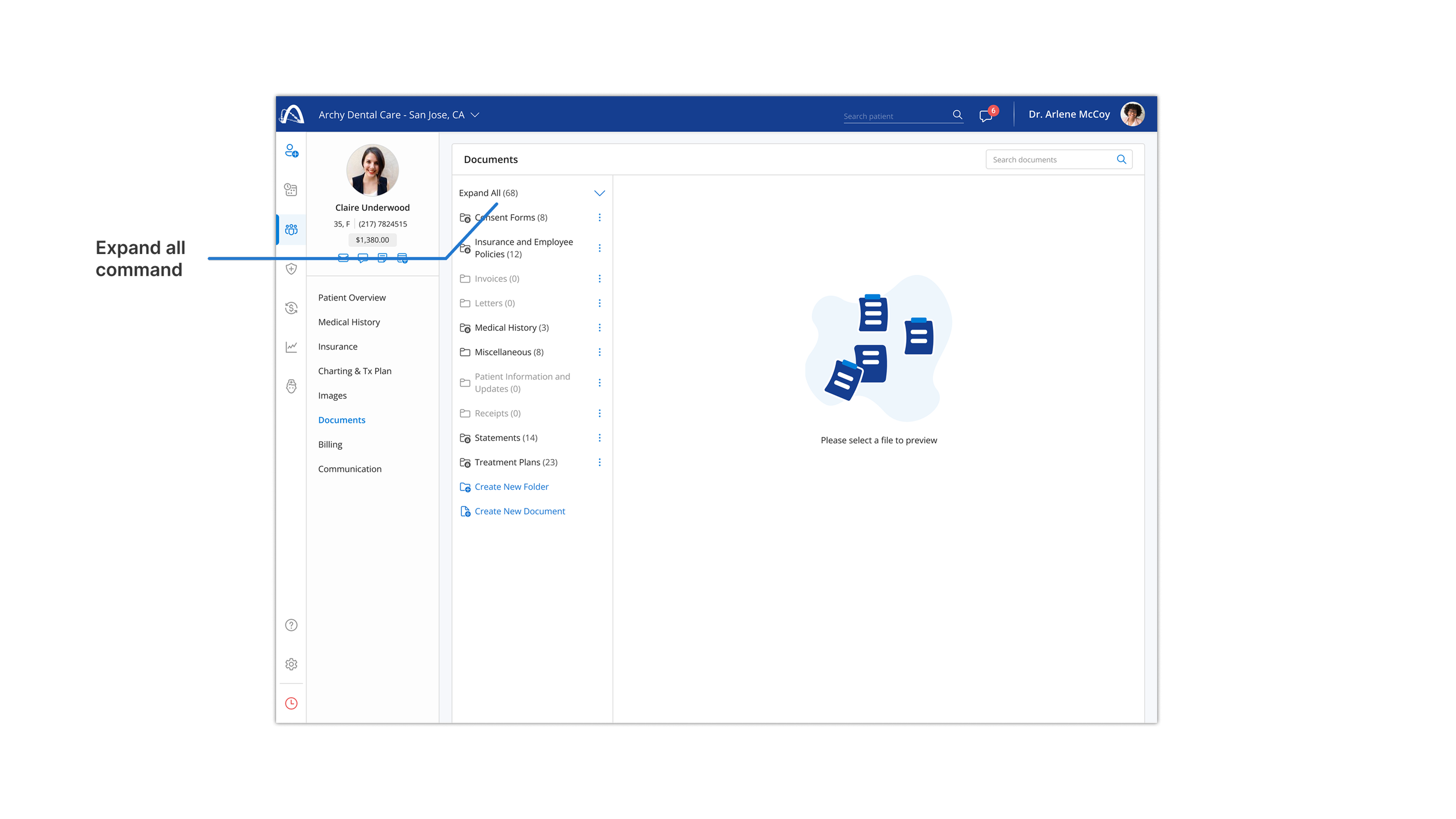
This control enables faster navigation through large document hierarchies by allowing users to expand all folders at once, reducing repetitive interactions as document sets grow.
Reducing Visual Complexity
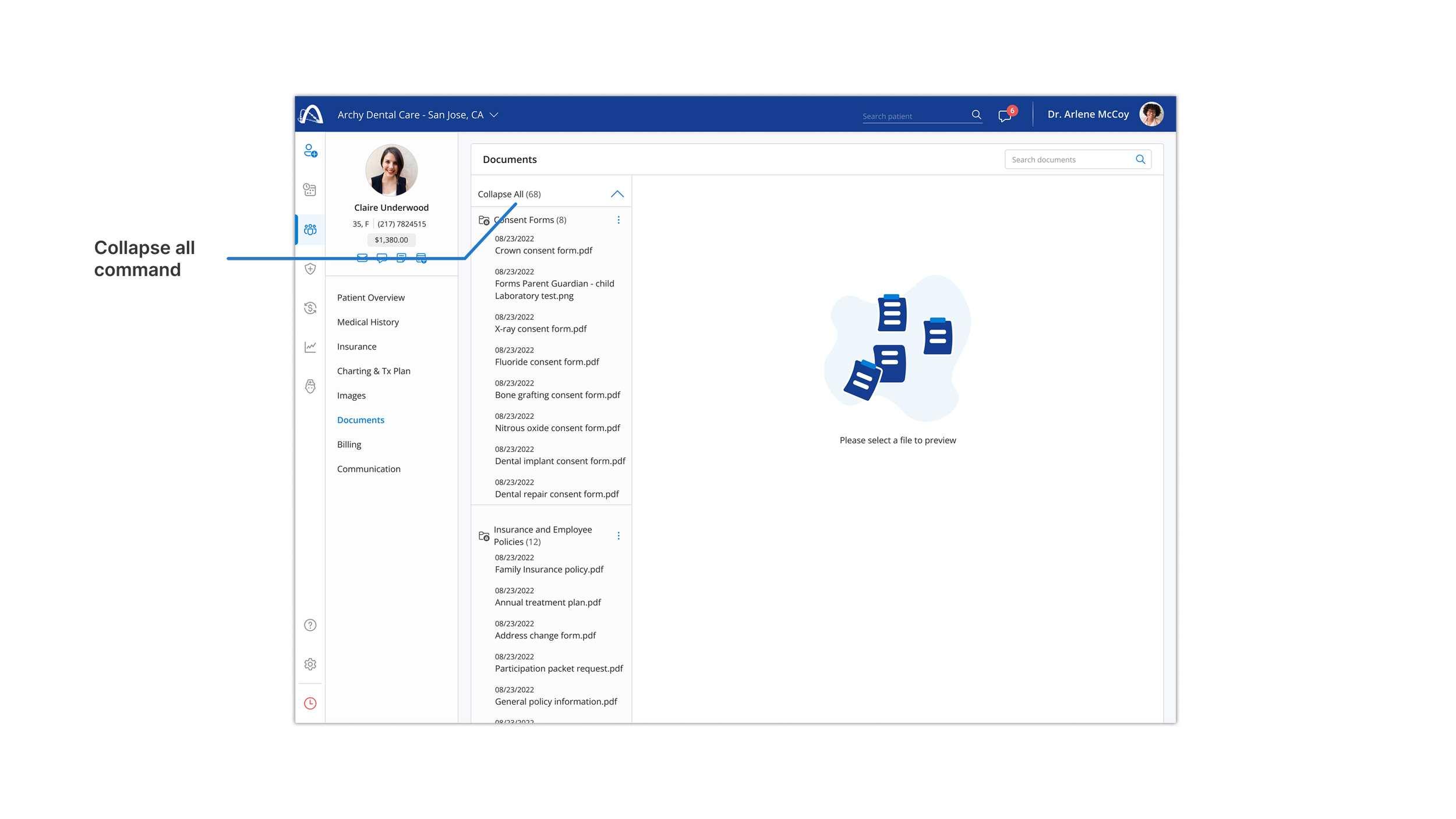
This control enables users to quickly collapse expanded folders and return to a focused document view, reducing visual clutter and supporting efficient navigation.
Document Retrieval
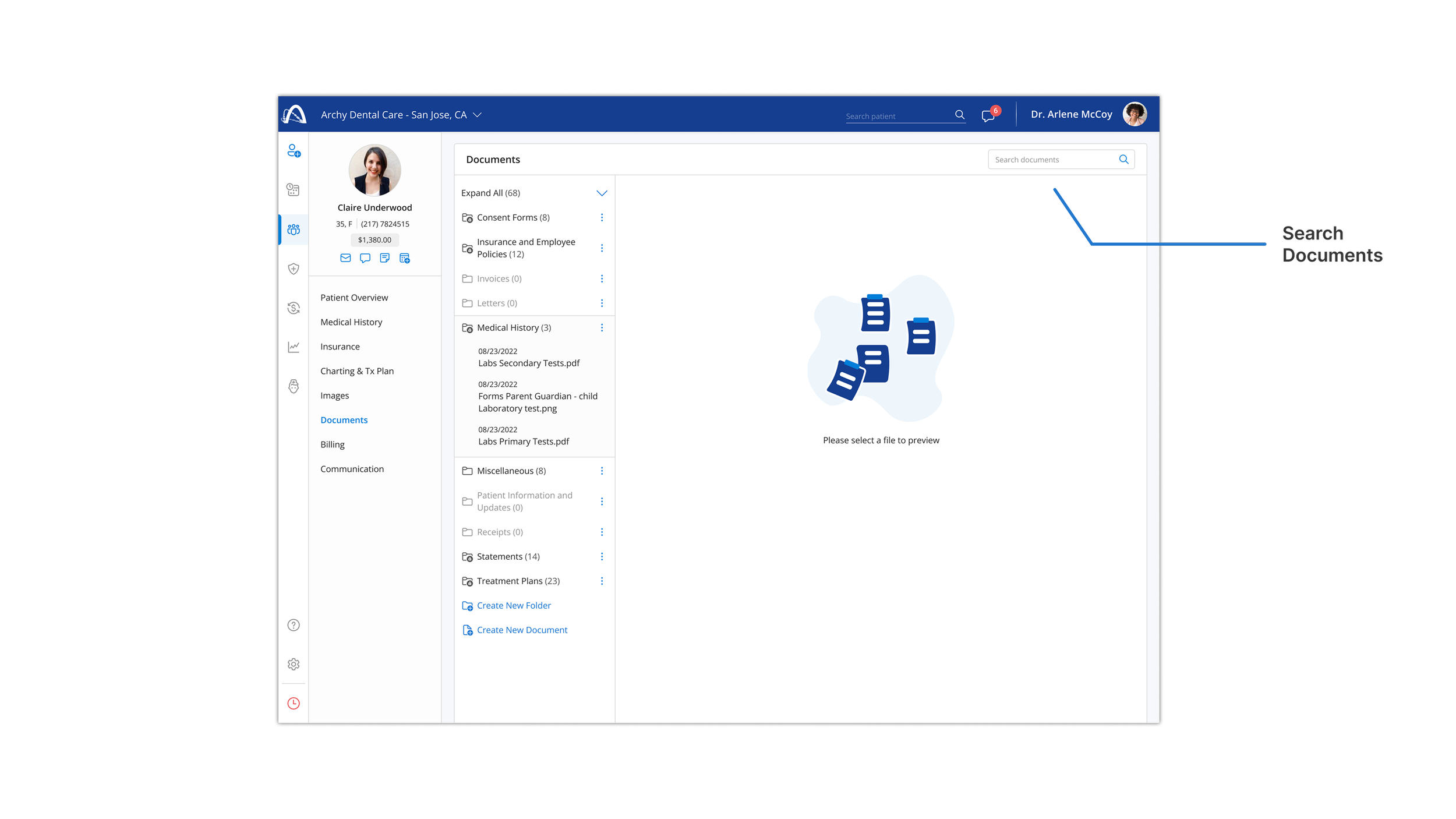
This feature supports quick access to patient documents by allowing users to search across folders, reducing time spent navigating large document sets.
Reorganizing Patient Documents
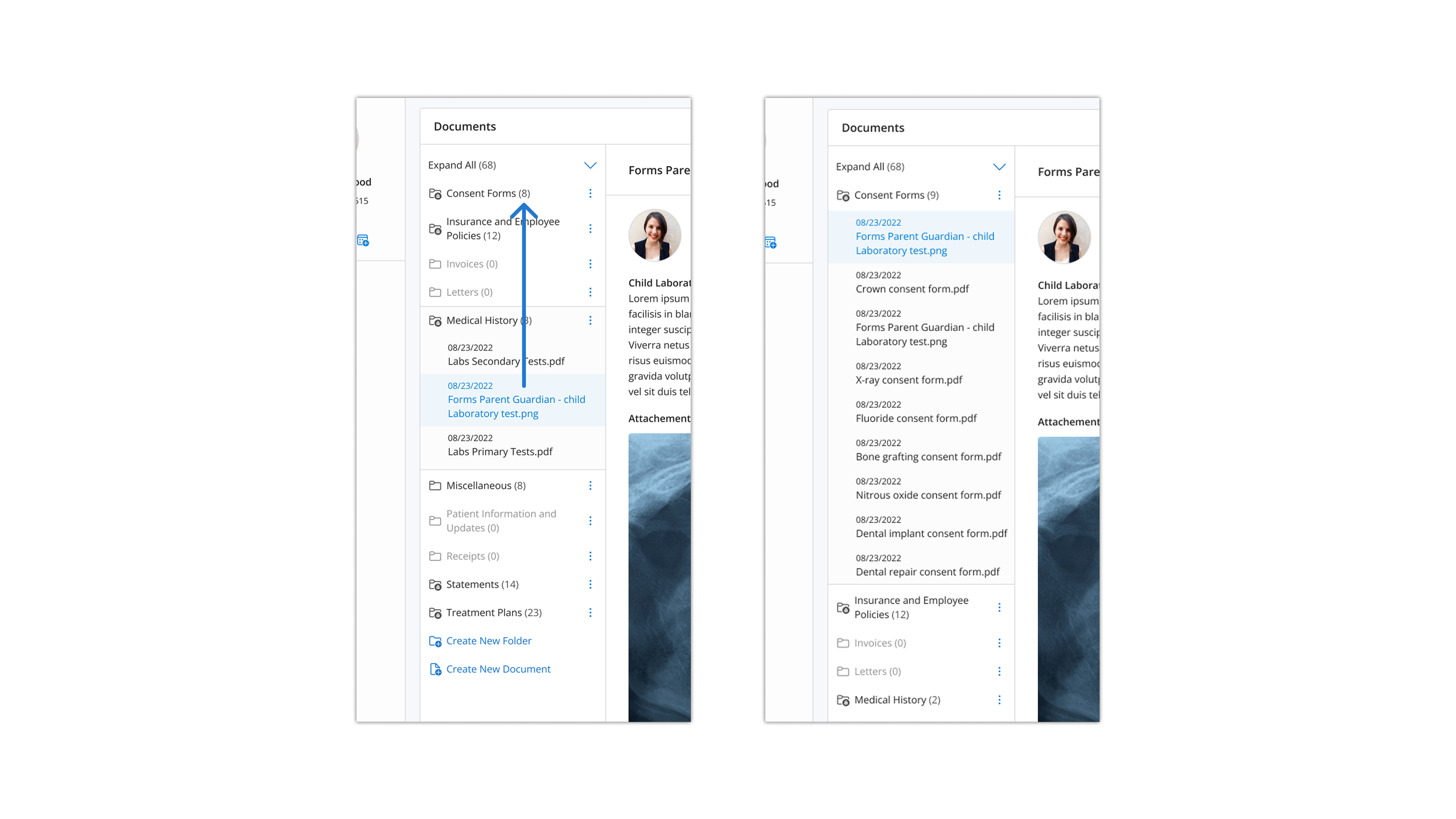
This feature allows documents to be easily moved between folders, supporting ongoing reorganization while preserving context within the document list.
Confirming Document Move
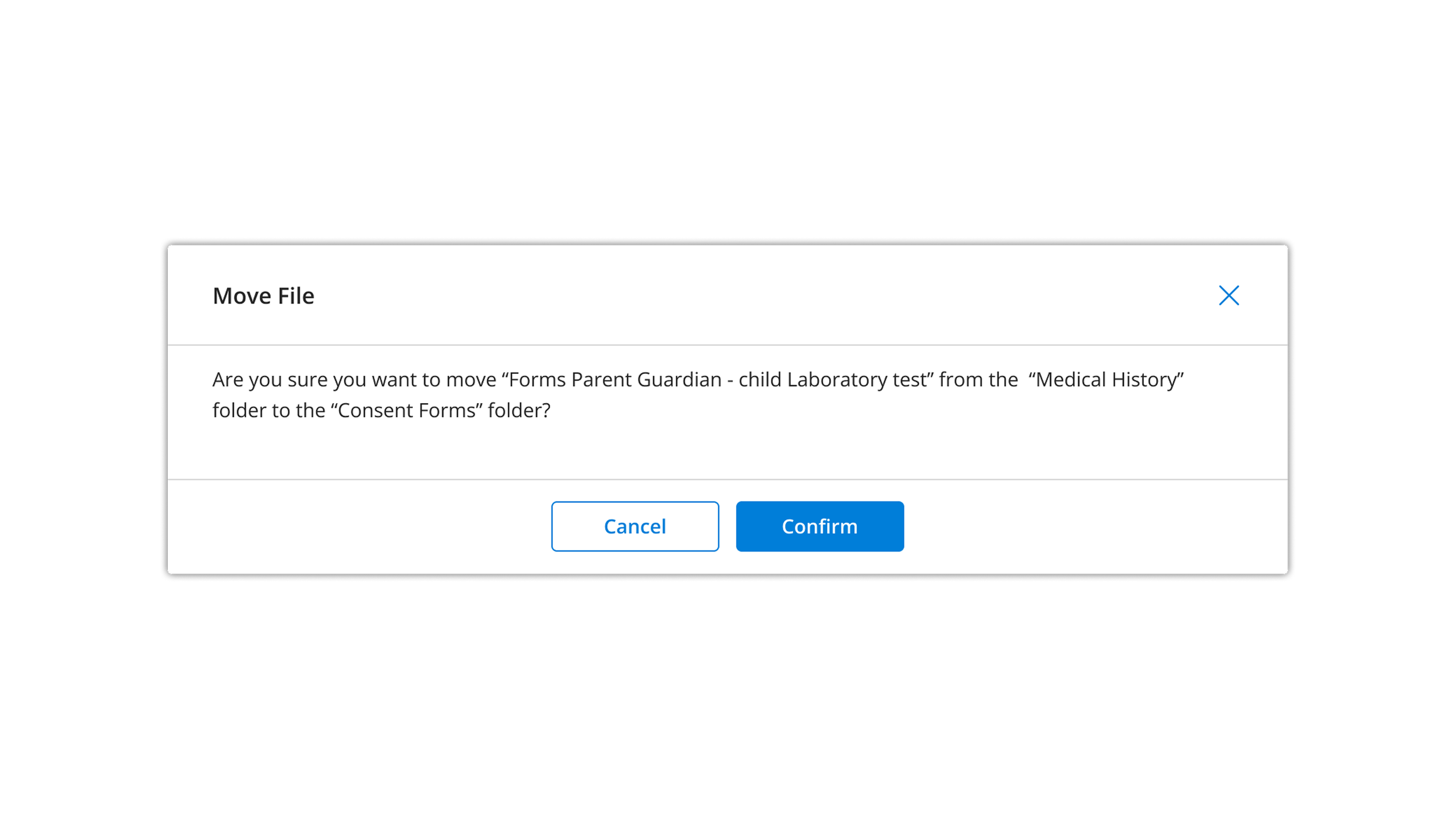
This confirmation modal reduces the risk of unintended document moves by clearly outlining the action before it is finalized.
Initial Document Setup
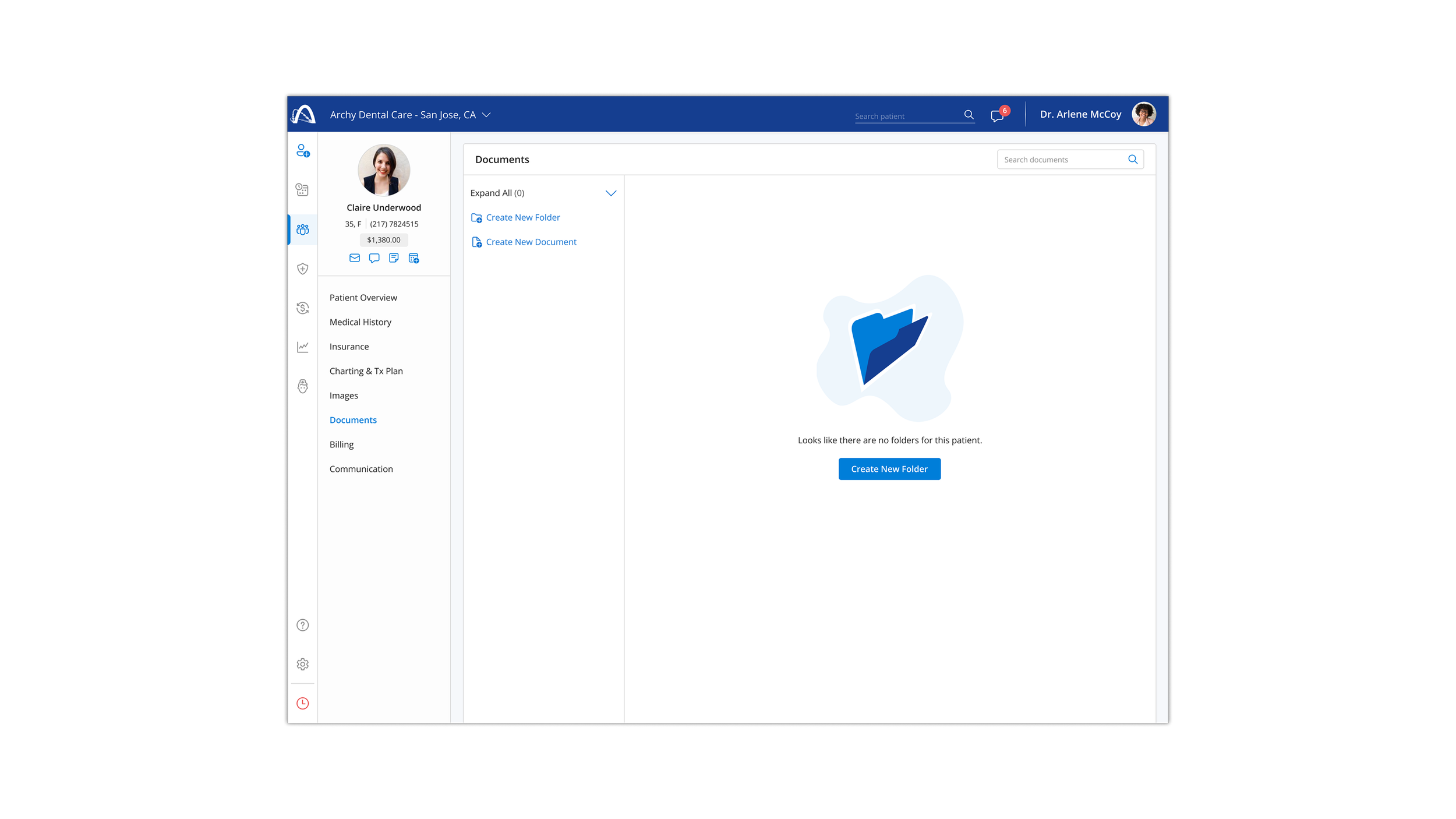
This empty state guides users through first-time setup by clearly directing them toward creating their initial folder, reducing friction and uncertainty.
Reflection and Next Steps
This design challenge focused on creating a scalable, patient-specific document management system for a healthcare setting. Given additional time and access to real users, the next steps would include usability testing with clinical teams, validating permission models, and refining edge cases based on real-world workflows. The core goal was to balance efficiency, clarity, and safety within a regulated environment.